
Video tutorial on how I tone map using Exposure Fusion in Photomatix Pro HDR Software for producing high dynamic range photo.
Learn How to Create Photos Like the Captain with…
“Click Here for Captain Kimo’s eBook Membership”
Software I use for processing my photos:
Picasa – Free photo management program.
Photomatix – Used for creating high dynamic range.
Topaz Plugins – Photoshop enhancement plugin.
PS Elements – Used for post processing HDR images.
Lightroom – For adding the finishing touch.
[ad#Google Adsense-3]
Get Captain Kimo’s Monthly Newsletter!
Enter your email below, then click button to join.
RELATED IMAGES:

Phuket Thailand Cape Yamu Kata Beach HDR Timelapse by Captain Kimo

HDR Pro for Adobe Photoshop CS5 with new tone mapping options.

Photoshop Grass - Turn Dead Grass Green

Adobe Photoshop CS5 is Better at Healing

Phuket Thailand Going to The Night Market HDR Timelapse

HDR Photography Car How to Video Tutorial

DuBois Pioneer Home - Jupiter, Florida

Installing Presets in Photomatix Pro on Windows or MAC

HDR Time Lapse Video from Canon PowerShot S90

HDR Sky Smoothing Photoshop Technique Topaz Plugin
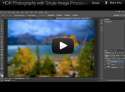
HDR Photography with Single Image Processed with Photomatix and Topaz
